Freesbe Freesbe

All features

Chat, calls and meetings, with AI built in.

Freesbe is team chat, voice and video calls, meetings and a business phone line in one app, with AI that summarizes, translates, polishes your writing and takes meeting notes. Built for support and sales teams, it runs in the browser, on your computer and on your phone. Here is every feature, with the guide that shows how it works.

AI

AI is built into chat, calls and meetings, so nobody has to scroll back, translate by hand or take notes.

A channel summary with the main points of the last 24 hours

Channel summaries

Back from a day off? Get the last day, the last week or everything since you last read a channel in a few lines, with links to the messages behind each point.

A thread summary above a thread's replies

Thread summaries

Join a long thread late and read what was decided in a few lines before you reply.

An order written in German with its English translation under it

Translate any message

A customer wrote in German? Read it in your own language, right under the original.

A suggested version of a reply to a customer, with Replace and Keep mine

Writing help

Turn a rushed reply into a clear, friendly one before you send it. Keep the suggestion or keep yours.

Meeting notes with decisions and action items next to the transcript

Meeting notes and transcripts

Record or transcribe a huddle or meeting and get who said what, a summary, decisions and action items with owners.

AI help for to-dos
Turn a to-do's title into notes, break it into steps with a due date, or sum up the conversation it came from.Read the guide
AI agents
Connect Claude, ChatGPT or your own agent over MCP. It acts as its own bot with only what you allow, and admins approve or block each one.Read the guideAI agents
Ask the docs
Ask a question in plain words on any help guide and get an answer with links to the sections it came from.Read the guide

Chat

Channels, DMs and threads for your team, and a safe place to talk with customers.
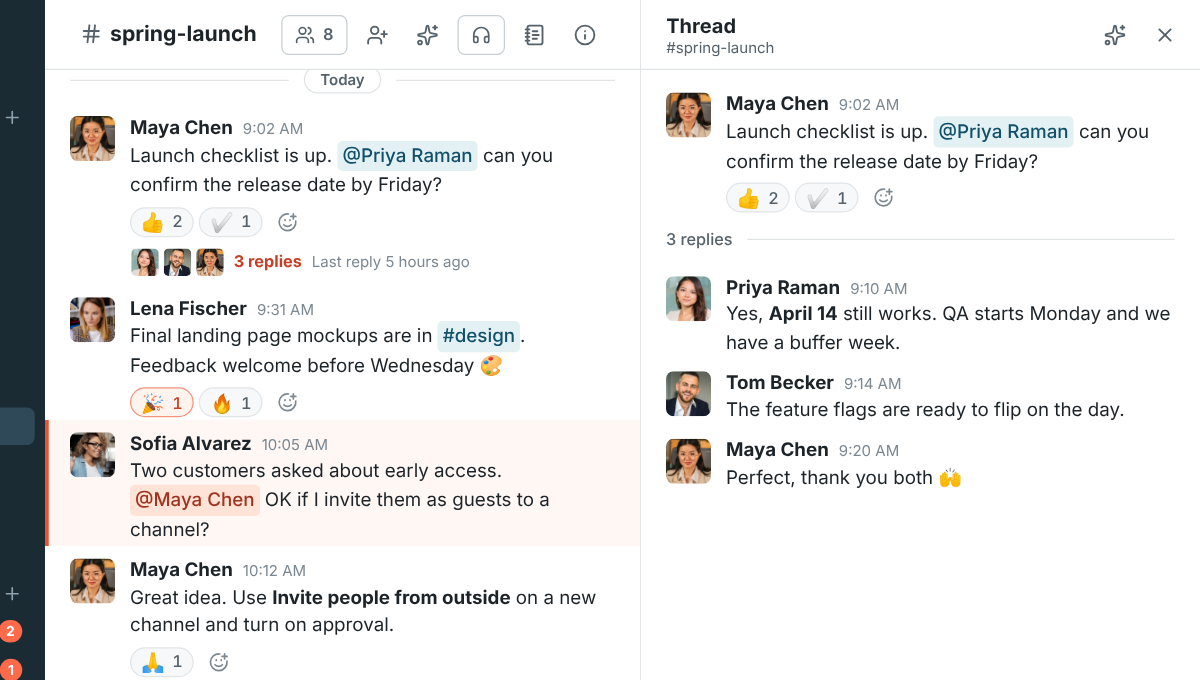
A channel with reactions and a thread open on the right

Channels and threads

A channel for every team, topic and customer. Reply in a thread to keep the channel readable.
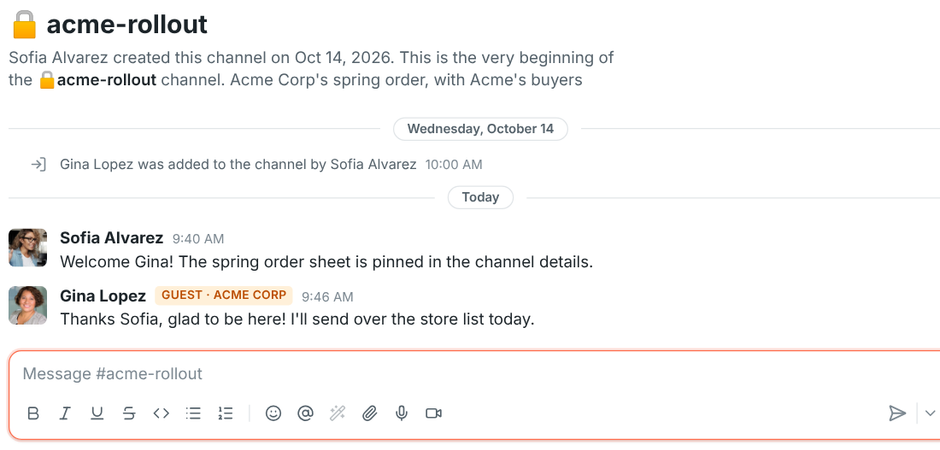
A guest from Acme Corp in a shared channel, with a guest badge

Guests from other companies

Invite clients and partners into one channel. They see that channel and its people, nothing else.
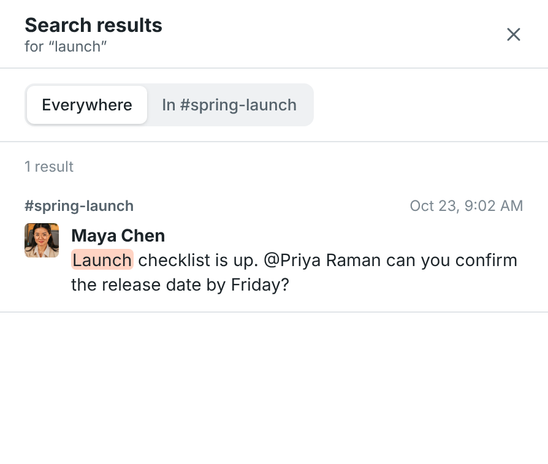
Search results for the word launch

Search everything

Find any message you can see, by any part of a word, across the workspace or in one channel.

A support playbook canvas open beside the #support channel

Canvases

A shared document in every channel and DM for playbooks, FAQs and notes, edited together as you chat.

A screen recording and an audio clip in a direct message

Audio and video clips

Show instead of type: record your voice, your camera or your screen and send it as a message.

The Schedule message menu next to the send button

Scheduled messages

Write it now and send it later: tomorrow morning, Monday, or any date and time you pick.

The Sent tab listing recent messages from channels, DMs and threads

Drafts and sent

Every unsent message is saved as a draft, and one page shows your drafts, scheduled and sent messages.

The To-dos page with overdue, today and upcoming items

Activity and to-dos

Mentions and replies in one list, and a to-do list you can fill straight from messages.
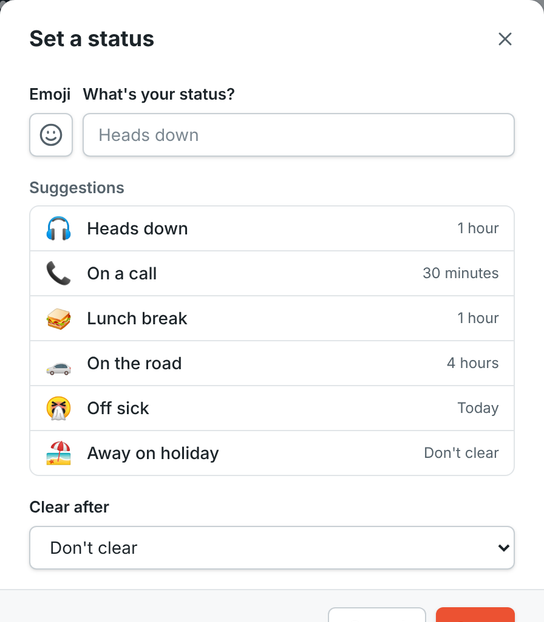
The Set a status dialog with suggestions and a clear-after time

Status that clears itself

On a call for an hour, off sick until tomorrow. Freesbe puts your status back when the time is up.

Read receipts
When your admins turn them on, see who has read a message, like Seen in WhatsApp.Read the guide
Notifications that fit
Pick what notifies you per channel, choose sounds per person, pause everything, and get alerted on one device, not all of them.Read the guide
Formatting, files and emoji
Bold, lists, code, links, file sharing with previews, image galleries and reactions with any emoji.Read the guide

Calls and meetings

Talk the moment chat isn't enough, with your team or with customers in their browser.

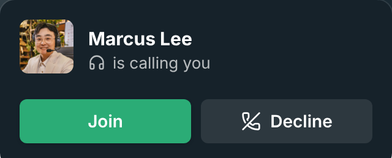
An incoming call card with Join and Decline buttons

Calls ring every device

Start a huddle in a DM and it rings the other person on their laptop, browser and phone at once.
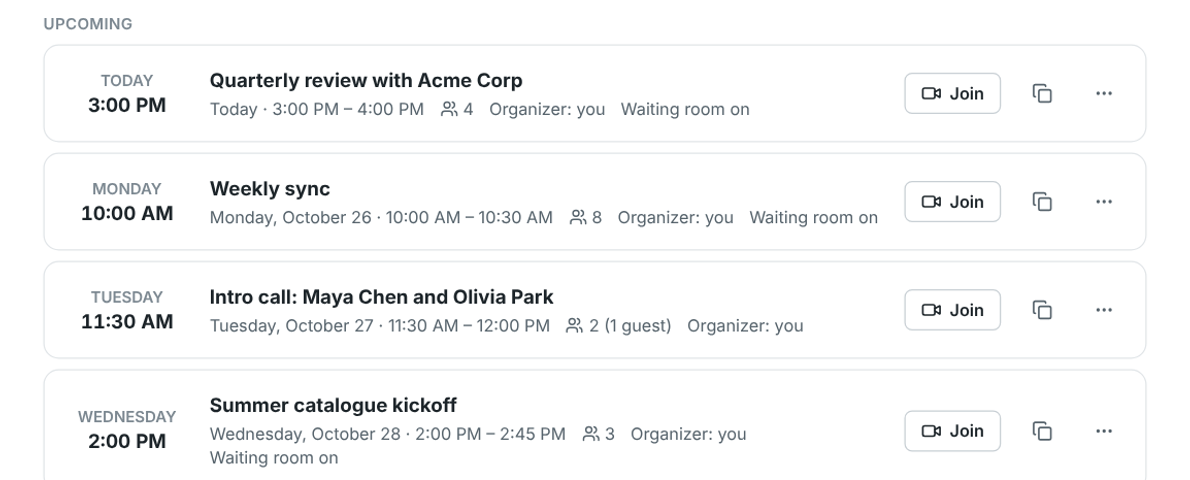
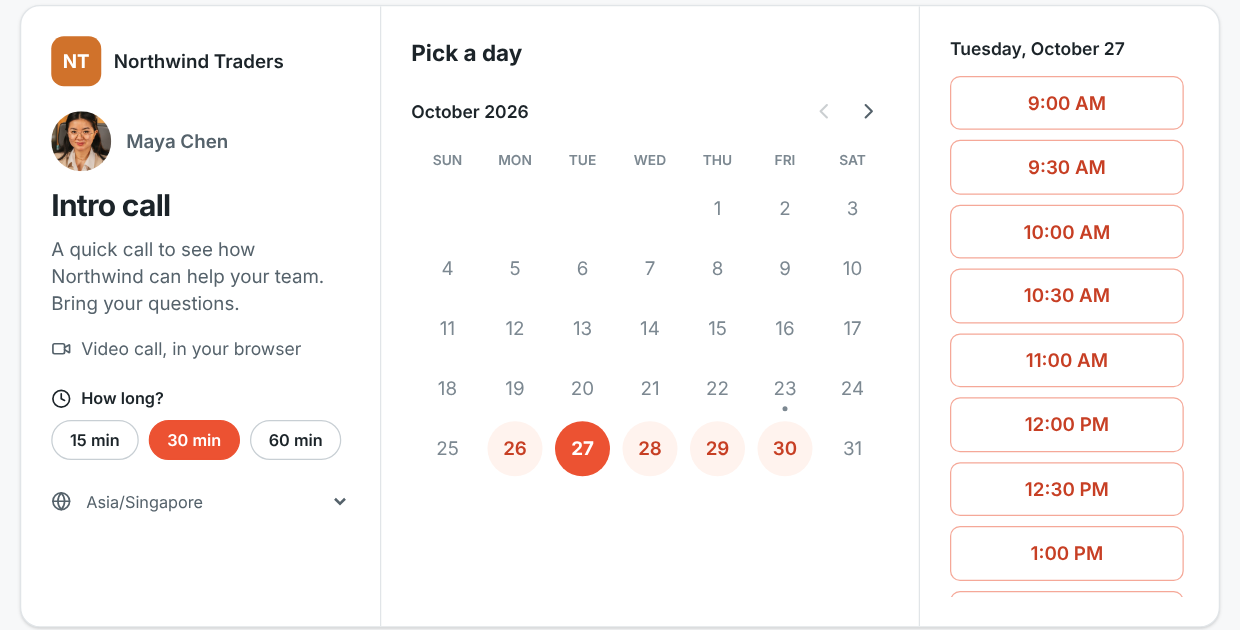
A booking page with a calendar and open time slots

Booking links

Put your link in your email signature. People pick a free 15, 30 or 60 minute slot, get an invite, and can reschedule or cancel on their own.

A meeting with Acme Corp being recorded, four people on camera

Recordings

Record huddles and meetings and find them in the conversation and on the Meetings page.

Controlling a teammate's shared screen during a huddle

Remote control

Take over a shared screen to fix things yourself, with the other person's permission every time.

A meeting docked in the corner while a channel stays open

Keep the call in view

A meeting shrinks to a corner while you keep reading and replying in any channel.

A huddle running on a phone, with Join here in the sidebar

Move a call to another device

Started on your laptop and need to walk? Join the same call from your phone and carry on.

Who can stop a recording
Choose who can start and stop recordings and transcripts, and make anyone in a meeting a co-host.Read the guide
Music on hold and lobby alerts
Guests hear music while they wait, and you get an alert the moment someone knocks.Read the guide

Phone

Your company phone line, next to your team chat.
The phone with a number typed in

Phone

Dial from the top bar, pin the phone beside your chats, or pop it out over your other apps. Recent calls are one click away.
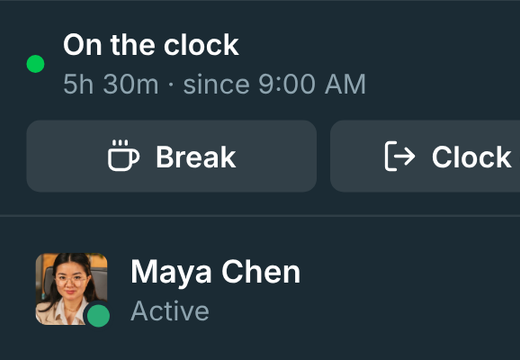
The punch clock card showing On the clock with Break and Clock out

Punch clock

Clock in, take breaks and clock out from the sidebar, with weekly timesheets and overtime for payroll.

Who's on the clock now, with working and on break badges

Timesheets for admins

See who's on the clock now, set overtime rules, fix missed clock-outs and export CSV.

Desk phones and softphones
Connect your sip.io phone system once, and everyone gets SIP credentials for any desk phone or softphone app.Read the guideBusiness phone system

Apps and integrations

Automate the routine and connect the tools your team already uses.

The workflow builder with a form step

Workflows

Build forms, approvals, reminders and welcome messages without code, and start them from a button, a schedule or a webhook.

An order card from an app with Mark packed and Open order buttons

Apps and bots

Give your own tools a bot with buttons, slash commands and dialogs. Bring Slack app manifests as they are.
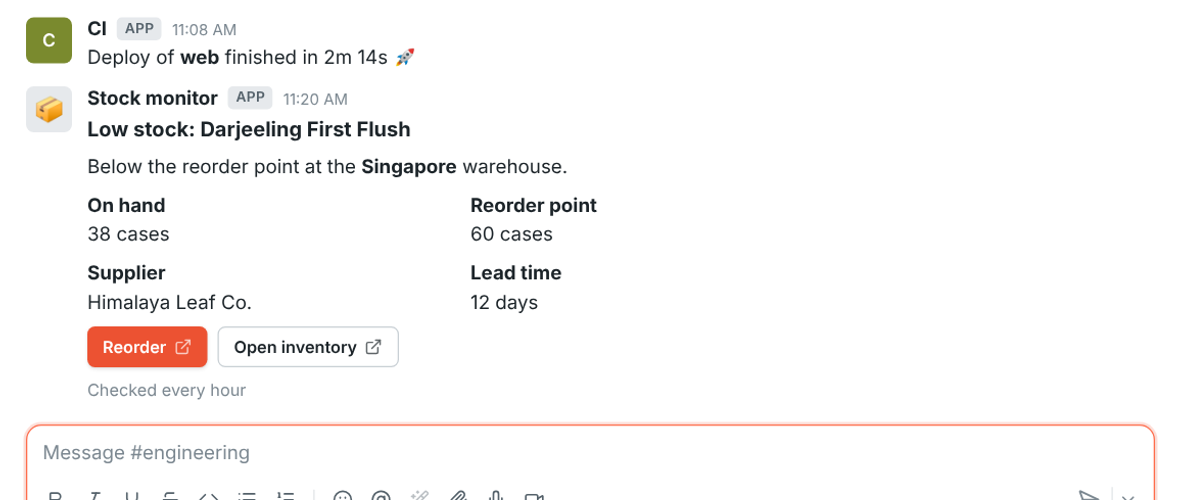
A message posted to a channel by an incoming webhook

Webhooks

Post alerts from any tool with Slack-compatible incoming webhooks, and get signed events with outgoing ones.

Preferences, Calendar: a connected Google Calendar

Google Workspace and Microsoft 365

Sign in with Google or Microsoft, and show busy times from your calendar so people book around them.

Calendar app

Your day's agenda each morning, a reminder with the join link before each meeting, and invitations you answer Yes, Maybe or No without leaving Freesbe.

Signing in to a Northwind dashboard with Freesbe

Sign in with Freesbe

Let your team sign in to your own dashboards and tools with their Freesbe account, over standard OpenID Connect.

REST API
Script anything you can do in the app with tokens and plain HTTP.Read the guide
Import from Slack
Bring people, channels, DMs, threads, reactions and files over, and everyone claims their account by email.Read the guideImport from Slack
Zapier, Make, n8n and Zoho Flow
Start a Zap, scenario, workflow or Zoho flow from a message, a mention or a new teammate, and post back into any channel.Read the guideZapier, Make, n8n and Zoho Flow
Payment alerts
Post deposits, payments and payouts from Mercury, Stripe and Airwallex into a channel as they happen.Read the guidePayment alerts
Kraken
Deposits, withdrawals, trades and balance alerts from a Kraken account posted into a channel, checked every minute with a read-only key.Read the guide
Crypto wallets
Payments in and out of public addresses on Bitcoin, EVM chains, Solana and Tron posted into a channel, with balance alerts and a daily summary.Read the guide
Zoho Books and Zoho Invoice
Invoices sent, payments received, invoices paid and overdue invoices posted into a channel, and previews of invoice links. Every Zoho data center.Read the guideZoho Books
Customer inbox
A chat on your website and your support email: every customer gets a thread in a channel, with hand-off, internal notes, saved replies and AI suggested answers.Read the guide
HubSpot
Deal and contact alerts in a channel, previews of HubSpot links, /hubspot to look people up, and Log to HubSpot on any message.Read the guideHubSpot
Salesforce
Opportunity, lead and case alerts in a channel, previews of Salesforce links, /salesforce to look records up, and Log to Salesforce on any message.Read the guideSalesforce
Pipedrive
Deal and lead alerts in a channel as they happen, previews of Pipedrive links, /pipedrive to look records up, and Log to Pipedrive on any message.Read the guidePipedrive
Zoho CRM
Deal, lead and contact alerts in a channel as they happen, previews of Zoho CRM links, /zoho to look records up, and Log to Zoho CRM on any message. Every Zoho data center.Read the guideZoho CRM
Zendesk
Post new and changed tickets into channels, show ticket links as cards, and turn any message into a ticket.Read the guideZendesk
Zoho Desk
Ticket alerts in a channel as they happen, previews of Zoho Desk ticket links, and Create Zoho Desk ticket on any message. Every Zoho data center.Read the guideZoho Desk
Freshdesk
Ticket alerts in channels with Assign to me and Resolve, ticket links as cards, /freshdesk to find tickets, and any message turned into a ticket or a note.Read the guideFreshdesk
Zoho Recruit
New candidates, status changes, hires, job openings and interviews posted into a channel as they happen, and previews of Zoho Recruit links. Every Zoho data center.Read the guideZoho Recruit
Zabbix
Zabbix problems posted into a channel as cards that turn green when they're resolved, with Acknowledge and Close buttons, a pinned live problems board, /zabbix questions and daily or weekly reports.Read the guideZabbix
Grafana and Alertmanager
Grafana and Prometheus Alertmanager alerts posted into a channel as one card each that turns green when it resolves, with a Silence for 1 hour button, a pinned live problems board and daily or weekly reports.Read the guideGrafana
PagerDuty
PagerDuty incidents posted into a channel as one card each that keeps up with acknowledgements, escalations and notes, with Acknowledge and Resolve buttons, a pinned live problems board and daily or weekly reports.Read the guidePagerDuty
Opsgenie
Opsgenie alerts posted into a channel as one card each that keeps up with acknowledgements, notes and priority changes, with Acknowledge and Close buttons, a pinned live problems board and daily or weekly reports.Read the guideOpsgenie
Datadog
Datadog monitor alerts posted into a channel as one card each that turns green when the monitor recovers, with a Mute for 1 hour button, a pinned live problems board and daily or weekly reports.Read the guideDatadog
News feeds (RSS)
Blogs, news sites, status pages and release notes posted into a channel as cards as they come out, from RSS, Atom or JSON feeds, filtered by keywords.Read the guide
Sentry
Sentry issues and alerts posted into a channel as one card each that turns green when the issue is resolved, with Resolve and Archive for 1 hour buttons, a pinned live problems board and daily or weekly reports.Read the guideSentry
Better Stack
Better Stack uptime incidents posted into a channel as one card each that turns green when the monitor is back up, with Acknowledge and Resolve buttons, a pinned live problems board and daily or weekly reports.Read the guideBetter Stack
New Relic
New Relic alert issues posted into a channel as one card each that turns green when the issue closes, with Acknowledge and Resolve buttons, a pinned live problems board and daily or weekly reports.Read the guideNew Relic
Uptime Kuma
Uptime Kuma monitors that go down posted into a channel as one card each that turns green when the monitor is back up, with a pinned live problems board and daily or weekly reports.Read the guideUptime Kuma
UptimeRobot
UptimeRobot monitors that go down posted into a channel as one card each that turns green when the monitor is back up, with a pinned live problems board and daily or weekly reports.Read the guideUptimeRobot

Admin and security

Control who gets in, what they can share and what it costs.
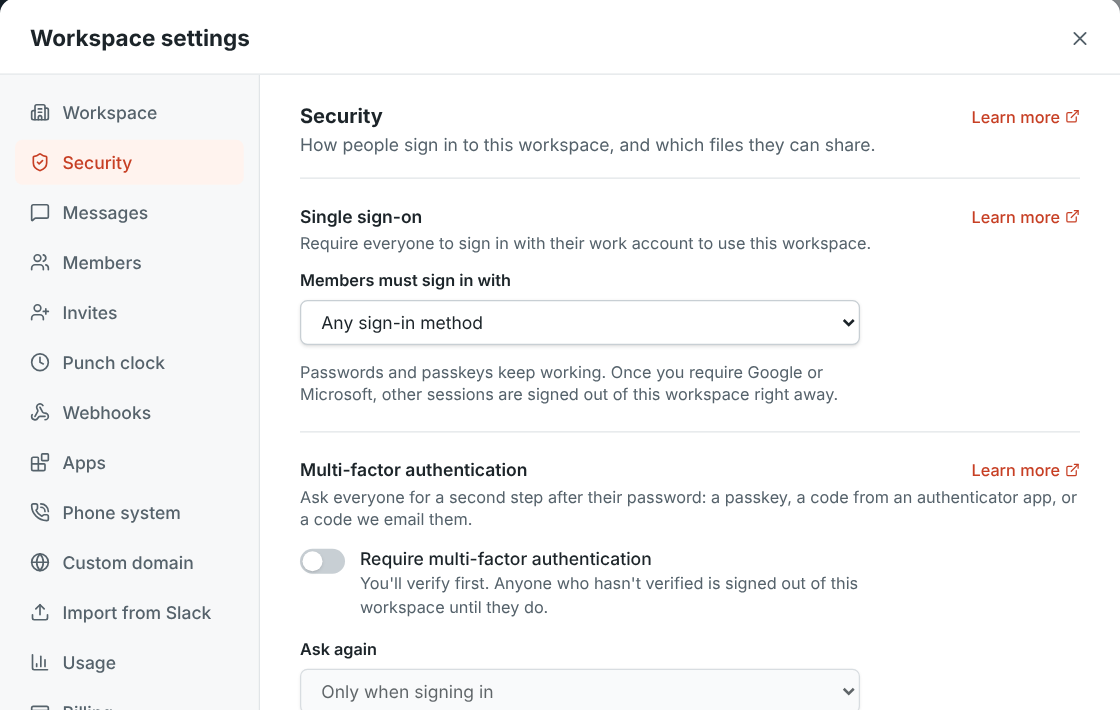
Workspace settings, Security: single sign-on, MFA and remote control

Single sign-on

Require everyone to sign in with their Google or Microsoft work account.

Verify it's you: a second step before signing in

Multi-factor authentication

Ask for a passkey, an authenticator code or an emailed code, and approve sign-ins from your phone.

A guest's upload of a program blocked by the workspace

File type controls

Choose what members and guests can upload. Files are checked by what's inside, so a renamed program is caught.

Workspace settings, Custom domain: meetme.northwind.example working

Custom domains

Put booking, meeting and invite links on your own address, like meetme.acme.example/dana.

Workspace settings, Usage: video and storage used this month

Usage and spending limits

See how much video and storage the workspace used this month against what its plan includes.

Search your settings
Type a word like sso or record and jump straight to the setting, highlighted, in any language.Read the guide
Work details on profiles
Department, location, manager, phone and pronouns on every profile. Rename or add fields, and fill them in from a spreadsheet.Read the guide
Members, roles and invites
Invite by email or link, choose who's an admin, and deactivate people who leave.Read the guide
Message and recording rules
Decide who can edit and delete messages, and who can start and stop recordings and AI notes.Read the guide
Plans and billing
Free for up to 10 people, then pay per person, monthly or yearly, with invoices in the app.Read the guidePricing

Desktop and mobile

The same workspace in the browser, on your computer and on your phone.

The Freesbe desktop app window on the #general channel

Desktop apps

Freesbe for Windows, macOS and Linux, with a tray icon, notifications, zoom and freesbe:// links.

The phone app's home screen with channels and direct messages

Phone app

Channels, DMs, huddles, meetings, search and push notifications on iPhone and Android, coming soon to the app stores.

Is this you signing in? Three numbers to tap on the phone

Approve sign-ins on your phone

Signing in on a new computer? Tap the matching number on your phone instead of typing a code.
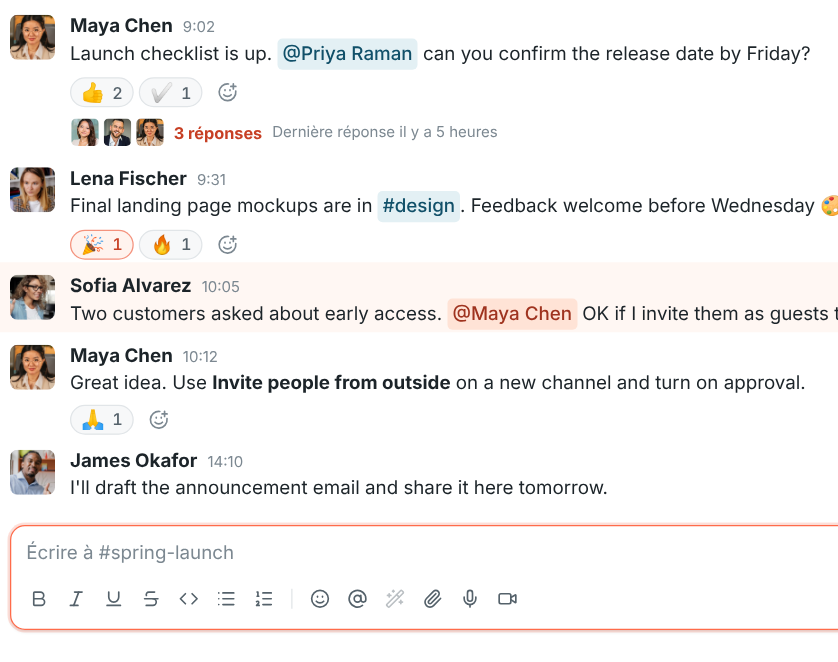
Freesbe in French

25 languages

Freesbe follows your computer's language, from French and Spanish to Japanese, Hindi and Arabic.
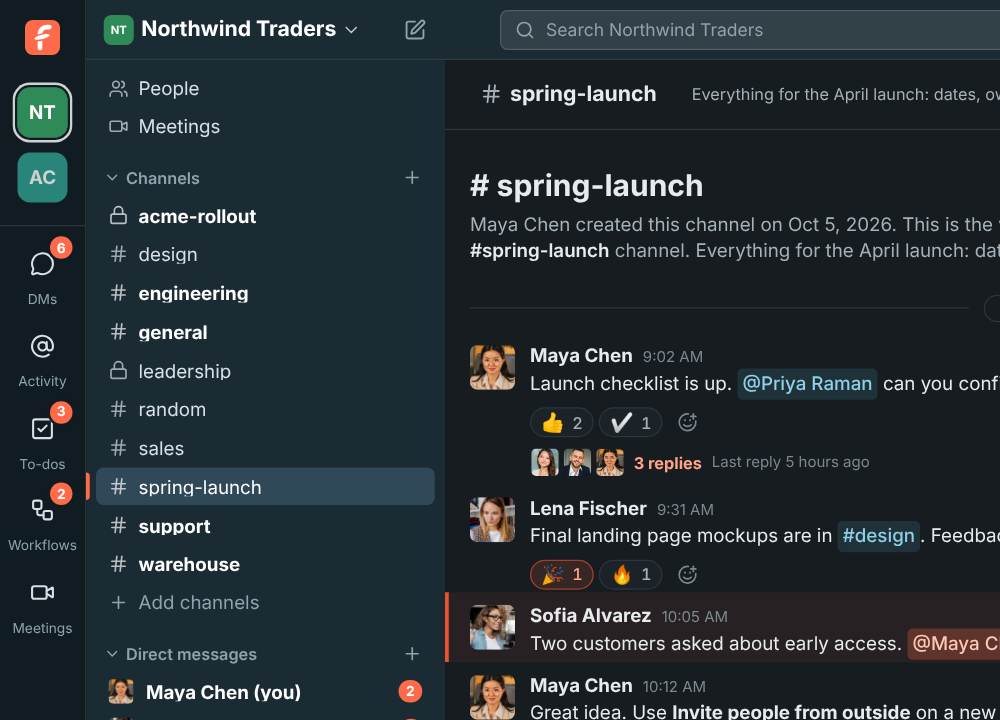
Freesbe in dark mode

Light and dark

Pick light or dark, or follow your system.

The quick switcher filtering channels as you type

Keyboard first

Jump to any conversation with Ctrl+K and get around without the mouse.

Profile photo from your camera or phone
Take your picture with your webcam, or scan a QR code and use your phone's camera, then let AI fix the light and centre your face.Read the guide

Pass it on.

Free for teams of up to 10 people. Set up a workspace in a minute and invite your team.